Copy Any Style.
Paste Any Code.
See something you like? Hover it, lock it, edit the CSS live, and copy as Tailwind — all without DevTools.
Built for designers & developers who ship fast
One tool, three workflows
See a component you want? Hover, lock, copy as Tailwind. No DevTools digging. No manual conversion. Paste and ship.
Tailwind Conversion · Live Edit
Need a palette or font stack from a reference site? Open the Design panel — all colors and fonts in one view. Copy what you need.
Design Panel · Font Inspector · HEX/RGB/HSL
Want to communicate a design decision? Lock elements, capture their exact styles, and use the Box Model diagram to clarify spacing.
Box Model · CSS Snapshot · History
More than just inspection
Every competitor stops at "see the CSS." StyleSnap gives you the full pipeline — from discovery to code.
Instant CSS Inspection
Hover over any element to see its full computed styles organized by category. Click to lock and keep the overlay visible.
Design Panel
Extract a page's entire color palette and font stack in one click. Switch between HEX, RGB, HSL. Export as CSS variables or JSON.
Tailwind Conversion
Deterministic CSS-to-Tailwind mapping — no AI hallucination. Every class maps precisely to the original CSS value.
Live CSS Editing
Edit any property in the overlay and see changes instantly on the page. Perfect for prototyping and design exploration.
Box Model Visualizer
A nested margin-border-padding-content diagram appears next to the overlay when you lock an element. See exactly how spacing is composed.
Accessibility-Aware AI Prompts
StyleSnap reads the element's ARIA roles and writes a prompt that tells the AI to implement keyboard navigation, focus management, and state — then output React, Vue, or HTML. Paste into Claude, ChatGPT, or Cursor.
3 steps, 5 seconds each
Hover & Click
Move your cursor over any element. StyleSnap shows a live CSS overlay. Click to lock it in place.
Inspect & Edit
Browse organized CSS properties, switch between Design / History panels, and edit values live on the page.
Export & Use
Copy as Tailwind classes or CSS variables, ready to paste into your project.
Real screenshots from real websites
Every feature shown below works on any website — Tailwind, Bootstrap, custom CSS, doesn't matter.
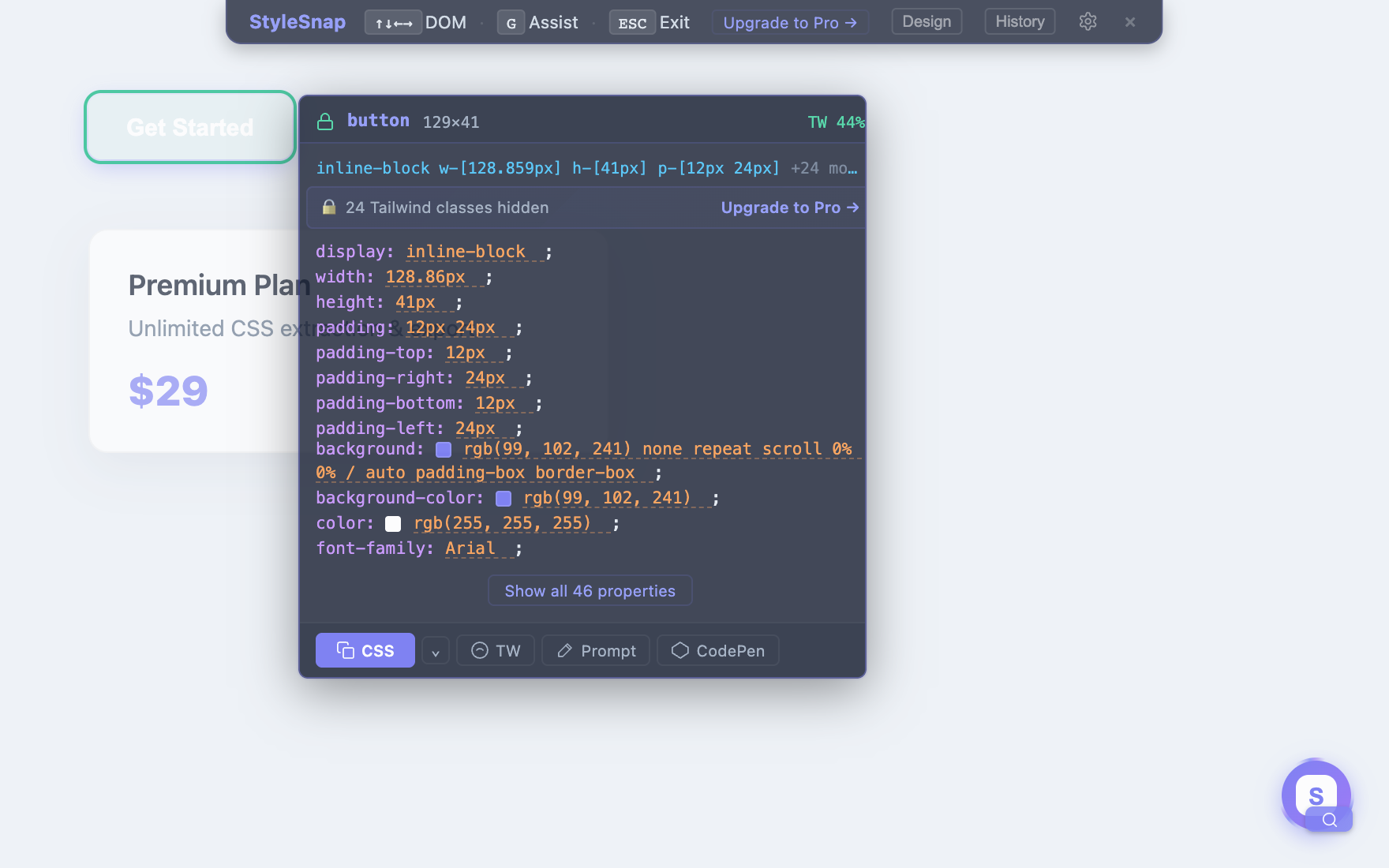
Hover any element → instant CSS panel
All computed styles organized by category: Typography, Visual, Layout. Copy CSS or Tailwind in one click.
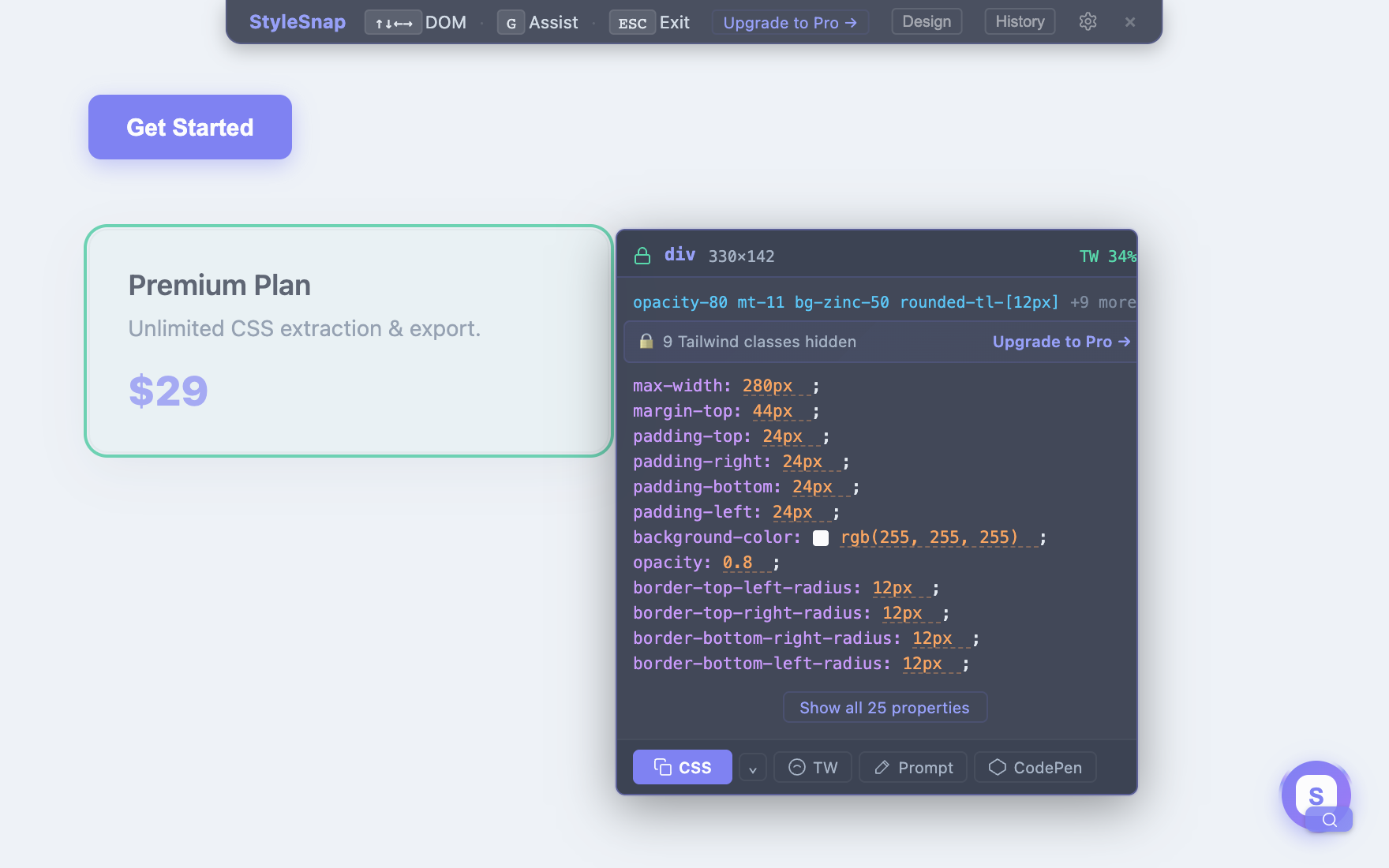
CSS → Tailwind in one click
Deterministic mapping — no AI hallucinations. Every class maps precisely to the original CSS value.
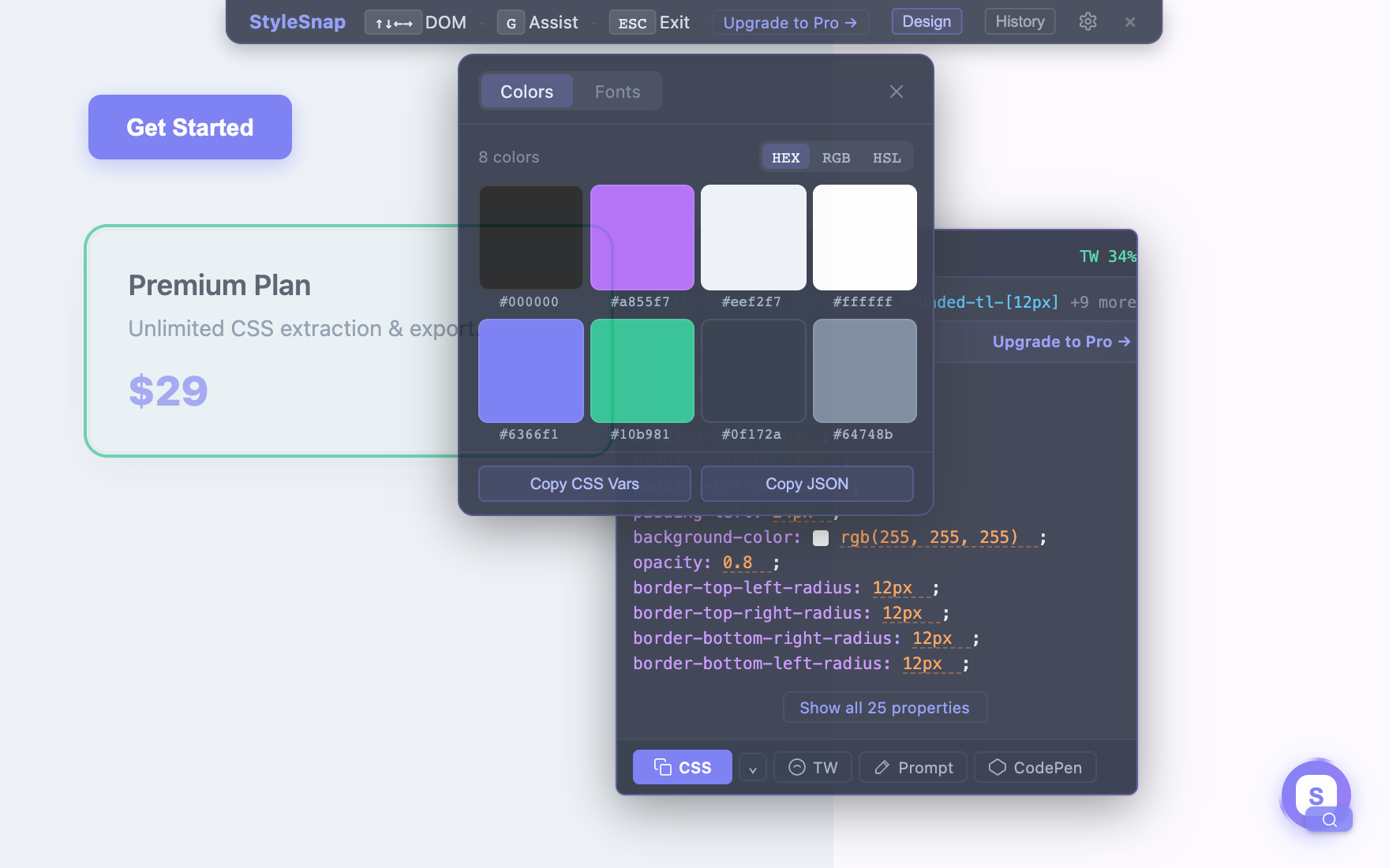
Page colors & fonts in one click
Extract the whole page's color palette and font stack. Switch between HEX, RGB, and HSL. Export as CSS variables or JSON.
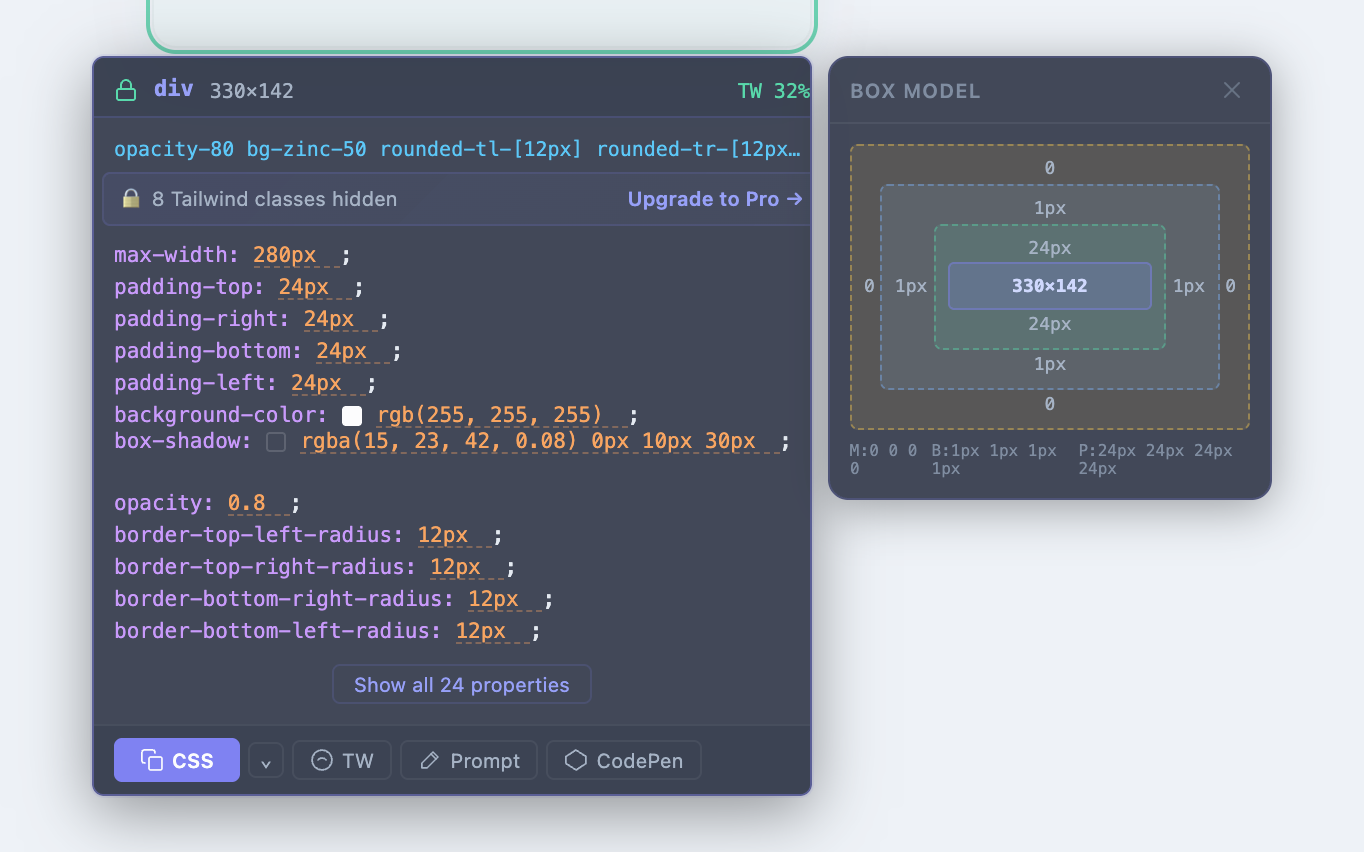
See margin · border · padding · content
A nested box-model diagram appears beside the locked element so you can read spacing at a glance.
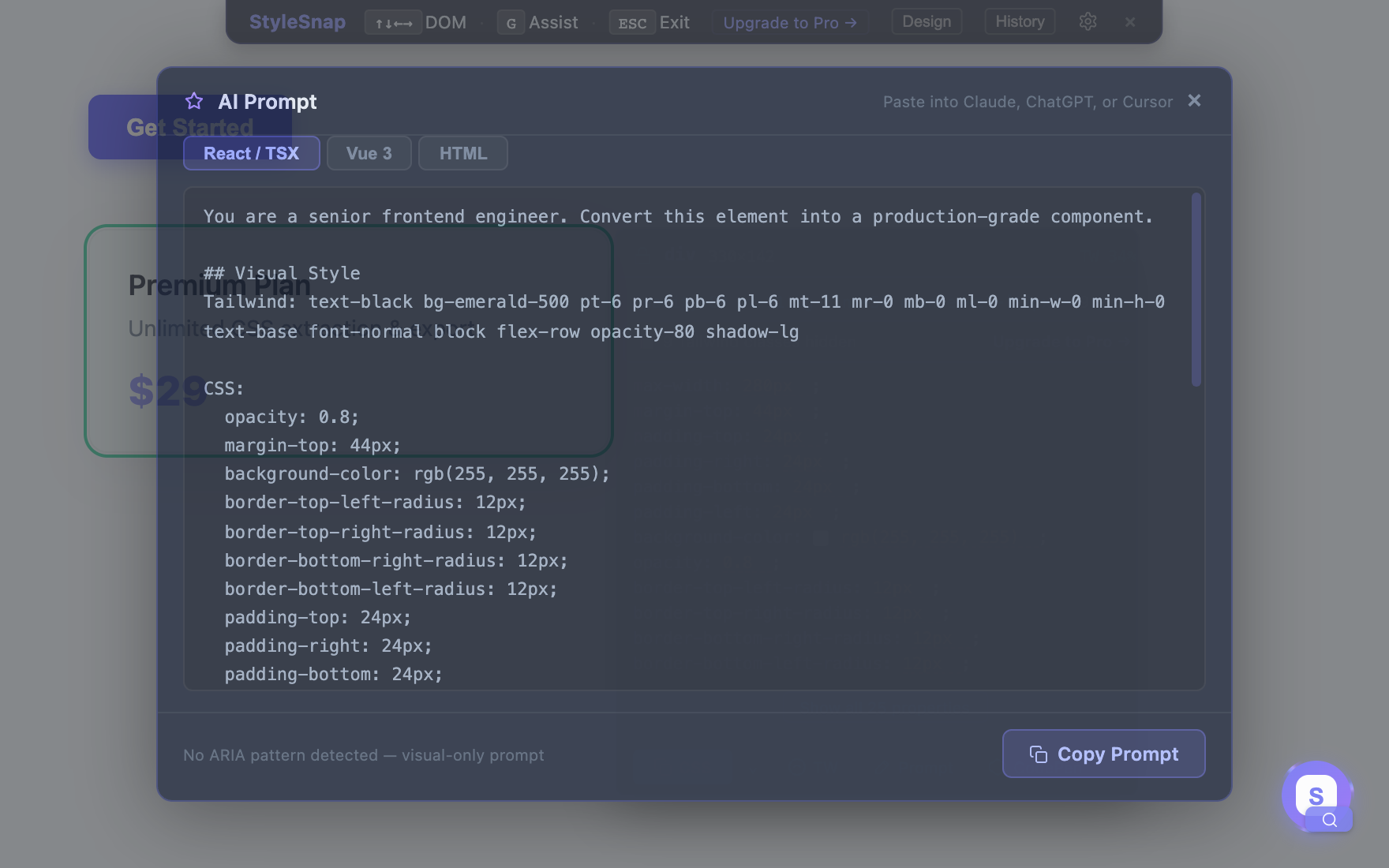
Accessibility-aware AI prompts
StyleSnap reads the element's ARIA roles and writes a prompt telling the AI to implement keyboard nav, focus & state — output React, Vue, or HTML.
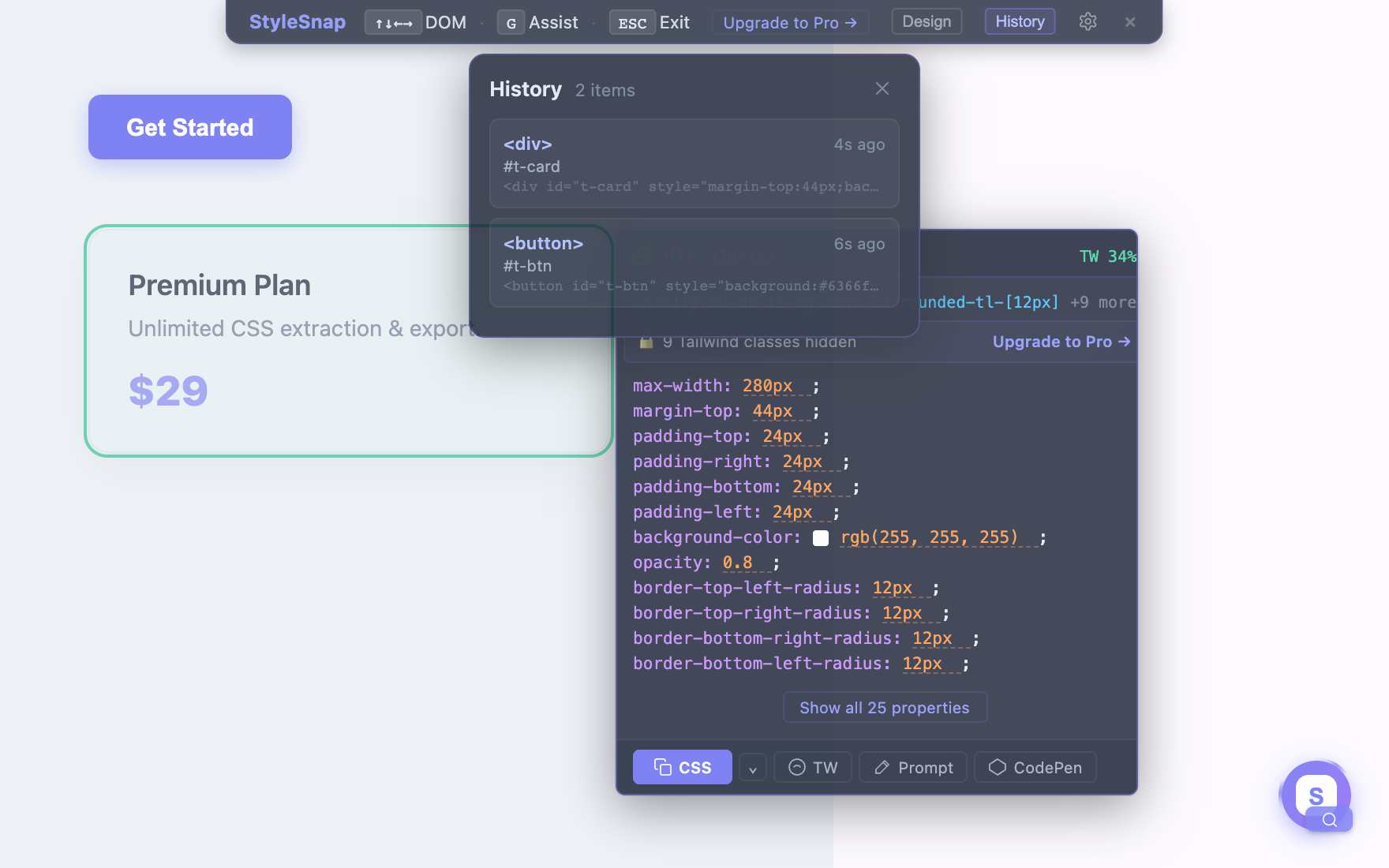
Jump back to anything you inspected
Every locked element is saved this session — click to re-lock and reopen its styles instantly.
One price. Everything. Forever.
No subscriptions. No credits. No hidden fees.
- ✓Unlimited CSS extractions
- ✓Tailwind class conversion
- ✓Design panel (colors + fonts)
- ✓Live CSS editing
- ✓Box Model visualization
- ✓Inspection history
- ✓Edge & Chrome support
- ✓Lifetime updates
- ✓7-day money-back guarantee
100% refund within 7 days. No questions asked.
Secure checkout via Dodo Payments. License key delivered instantly.
Install on your browser
StyleSnap works wherever you browse. More platforms coming soon.
Manual Installation
If the store listing isn't accessible in your region, download the extension package and load it manually.
⬇ Download Extension (ZIP)Ready to stop digging through DevTools?
One click. Full styles. Tailwind or AI prompts. $29 once.
7-day money-back guarantee